



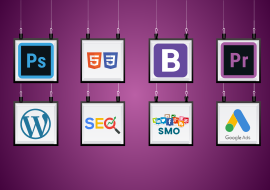
Advanced Digital Marketing Course
Transform Your Career with the Advanced Digital Marketing Course at GDI
In today’s digital-first world, mastering advanced digital marketing is no longer optional—it’s essential. GDI brings you a comprehensive Advanced Digital Marketing Course designed to turn you into a strategic, data-driven marketing professional. Whether you're a marketer looking to upgrade your skills, a business owner aiming to scale online, or a career-changer entering the high-growth digital industry, this course is your gateway to success.
Our curriculum is meticulously crafted by industry veterans and covers every pillar of modern digital marketing. You will move beyond basics to master advanced strategies in Search Engine Optimization (SEO), Pay-Per-Click (PPC) Advertising, Social Media Marketing (SMM), Content & Video Marketing, Email Automation, Google Analytics 4, and Conversion Rate Optimization. This is not just theory—it’s a hands-on, project-based training that simulates real-world campaigns.
Why Choose Our Advanced Digital Marketing Course?
- Industry-Recognized Certification: Receive a valued certificate that enhances your resume and LinkedIn profile.
- Expert-Led Live Training: Learn directly from certified digital marketing managers with years of campaign experience.
- 100% Practical, Hands-On Approach: Run live campaigns on Google Ads, Facebook Business Manager, and SEO tools.
- Latest Tools & Techniques: Get trained on tools like Google Ads, SEMrush, Meta Business Suite, Canva, and Google Analytics 4.
- Job & Placement Assistance: Benefit from our career support, portfolio building, and interview preparation sessions.
- High-Volume Keyword Focused Modules: Our content is optimized around top-searched terms, ensuring you learn what the industry demands.
Who Is This Course For?
-
Marketing professionals seeking advanced certifications.
-
Business owners, entrepreneurs, and startups.
-
Bloggers, influencers, and content creators.
-
Career beginners aiming for high-paying digital marketing roles.
-
Graphic designers, web developers, and IT professionals expanding their service offerings.
Graphic Design | Video Editing
Module 1: Introduction to Photoshop
- Raster And Vector
- Set Image Size, Unit, Resolution & Color Mode
- Color Profile
- Photoshop Overview
Module 2: Selection
- Make Selection With Tools
- Rectangular Marquee
- Elliptical Marquee
- Single Row
- Single Column
- Lasso
- Polygonal Lasso
- Magnetic Lasso
- Quick Selection
- Magic Wand
Module 3: Crop & Select Color
- Crop Tool
- Perspective Crop
- Slice
- Slice Selection
- Eyedropper
- Color Sampler
Module 4: Image Editing Tools & Color Correction
- Spot Healing
- Healing
- Patch
- Content-Aware Move
- Red Eye
- Adjustments
- Brightness/Contrast
- Levels
- Curves
- Exposure
- Vibrance
- Hue/Saturation
- Color Balance
- Black & White
- Photo Filter
- Channel Mixer
- Color Lookup
Module 5: Brush Tools
- Brush
- Create Brush
- Upload Brush
- Use Brush Setting
- Pencil
- Color Replacement
- Mixer Brush
- Clone Stamp
- Pattern Stamp
- Eraser
- Background Eraser
- Magic Eraser
- Blur
- Sharpen
- Smudge
- Dodge
- Burn
- Sponge
Module 6: Color
- Fill Color In Selection
- Pattern
- Gradient
- Paint
- Bucket
Module 7: Create Path
- Use Pen
- Freeform Pen Tool
- Add Anchor Point
- Convert Point
Module 8: Text
- Use Horizontal & Vertical Type
- Use Horizontal & Vertical Type Mask
- Character & Paragraph Palette
- Font Size
- Font Family
- Font Style
- Leading
- Kerning
- Tracking
- Horizontal & Vertical Scale
- Baseline Shift
- Paragraph Align
- Left & Right Indent
- Before & After Paragraph Space
- Module 9: Create Shape
- Rectangle
- Rounded Rectangle
- Ellipse
- Polygon
- Line
- Custom Shape Create And Add Shape
Module 10: Work Mask
- Clipping Mask
- Layer Mask
- Type Mask
- Vector Mask
- Quick Mask
Module 11: Layer Style
- Bevel & Emboss
- Stroke
- Inner Shadow
- Inner Glow
- Satin
- Color Overlay
- Gradient Overlay
- Pattern Overlay
- Outer Glow
- Drop Shadow
Module 12: Practice Work
- Create Banner
- Poster
- Mobile App UI
- Website UI (Responsive)
- Social Media Post
Module 13: Filter
- Filter Gallery
- Camera Raw
- Liquify
- Oil Paint
- Vanishing Point
- Blur
- Distort
- Noise
- Pixelate
- Render
- Sharpen
- Stylize
Module 14: 3D
- Create 3D Shape
- 3D Text
- 3D Custom Shape
- Apply Texture
- Use 3D Material Eyedropper
- Use 3D Material Drop
Module 15: Use Adv. Option
- Action
- Animation
- Create GIF File
Module 16: Export File In
- .Psd
- .Jpg
- .Png
- .Gif
Module 1: Introduction to Premiere Pro
Getting Started
-
Overview of Premiere Pro interface
-
Workspace customization (Editing, Color, Audio, etc.)
-
Project setup (Resolution, frame rate, bit depth)
-
Understanding video formats (MP4, MOV, AVI, etc.)
-
Creating and saving projects
Importing Media
-
Importing files (video, audio, images)
-
Using Media Browser
-
Organizing assets in bins
-
Proxy workflow for 4K/8K editing
Module 2: Basic Editing Techniques
Timeline Fundamentals
-
Creating sequences
-
Understanding tracks (video/audio)
-
Razor tool, Selection tool, and other essential tools
-
Three-point and four-point editing
Editing Workflow
-
Insert vs. Overwrite edits
-
J-cut and L-cut techniques
-
Using markers for organization
-
Basic transitions (Cross Dissolve, Dip to Black)
Module 3: Advanced Editing
Trimming & Refining Cuts
-
Ripple, Roll, Slip, and Slide edits
-
Trim Mode for precision editing
-
Keyboard shortcuts for faster workflow
-
Multicam editing (syncing and switching angles)
Nesting & Compound Clips
-
When and why to use nests
-
Creating compound clips
-
Dynamic Link with After Effects
Module 4: Motion & Effects
Keyframing & Animation
-
Basic keyframe animation (Position, Scale, Rotation)
-
Using the Effect Controls panel
-
Easing keyframes for smooth motion
-
Motion presets
Video Effects
-
Applying and adjusting effects
-
Lumetri Color basics
-
Warp Stabilizer for shaky footage
-
Green screen (Chroma Key) & masking
Module 5: Audio Editing
Audio Workflow
-
Adjusting audio levels
-
Keyframing audio for fade-ins/outs
-
Using the Essential Sound panel
-
Noise reduction and audio cleanup
Mixing & Exporting Audio
-
Audio track mixer
-
Exporting audio separately (WAV, MP3)
-
Syncing external audio (e.g., from a recorder)
Module 6: Color Correction & Grading
Basic Color Correction
-
Using Lumetri Color panel
-
White balance correction
-
Exposure and contrast adjustments
-
Saturation and vibrance
Advanced Color Grading
-
Creating cinematic looks
-
Using LUTs (Look-Up Tables)
-
Secondary color correction (HSL adjustments)
-
Matching colors between clips
Module 7: Titles & Graphics
Text & Titles
-
Creating basic titles
-
Styling text (fonts, colors, shadows)
-
Lower thirds and animated titles
-
Using templates (Motion Graphics Templates)
Working with Graphics
-
Importing Photoshop/Illustrator files
-
Creating shapes and masks
-
Track mattes for creative effects
Module 8: Exporting & Delivery
Export Settings
-
Best formats for YouTube, Vimeo, Instagram
-
H.264 vs. H.265 (HEVC)
-
Bitrate settings for quality vs. file size
-
Exporting for broadcast (ProRes, DNxHD)
Advanced Export Options
-
Using Adobe Media Encoder
-
Batch exporting
-
Creating custom presets
-
Exporting for social media (square, vertical video)
Module 9: Advanced Techniques
Time Remapping & Speed Effects
-
Slow motion & speed ramps
-
Frame blending vs. Optical Flow
-
Reverse playback
VR & 360 Video Editing
-
Setting up a 360° project
-
Reframing 360 footage
-
Exporting for VR platforms
Module 10: Real-World Projects
Hands-On Exercises
-
Short Film Edit (Narrative storytelling)
-
YouTube Vlog (Fast-paced cuts, music sync)
-
Commercial Ad (Color grading, text animation)
-
Documentary (Multicam interviews, B-roll)
Final Project
-
Portfolio-Ready Video (Full workflow from edit to export)
-
Includes color grading, sound mixing, and motion graphics
Website Structure | Framework | Website Development
Module 1: WordPress Architecture Deep Dive
Core Structure
-
WordPress file and database architecture
-
The WordPress loading process (wp-config, hooks init)
-
WP_Query lifecycle
-
Rewrite API and permalinks
Advanced Database
-
Custom database tables (when and how)
-
Working with $wpdb class
-
Database optimization techniques
-
Multisite database structure
Module 2: Theme Development Mastery
Modern Theme Architecture
-
Block theme development
-
Theme.json deep dive
-
Webpack configuration for themes
-
Headless WordPress themes
Performance Optimization
-
Critical CSS implementation
-
Lazy loading strategies
-
Theme asset optimization
-
Cache-busting techniques
Module 3: Plugin Development Expertise
Professional Plugin Architecture
-
Object-oriented plugin development
-
Plugin dependency management
-
Custom autoloaders
-
Plugin update systems
Advanced Functionality
-
Custom REST API endpoints
-
WP-CLI integration
-
Background processing
-
Custom cron implementations
Module 4: Security & Performance
Enterprise Security
-
Two-factor authentication
-
Login hardening
-
File integrity monitoring
-
Security headers implementation
High-Performance WordPress
-
Full-page caching strategies
-
Database query optimization
-
Object caching with Redis/Memcached
-
CDN integration techniques
Module 5: Custom Gutenberg Development
Block Development
-
Custom dynamic blocks
-
Block variations
-
Block patterns
-
Block templates
Advanced Editor Features
-
Custom meta boxes in blocks
-
Editor data persistence
-
Custom block styles
-
Block theme development
Module 6: REST API & Headless WordPress
API Development
-
Custom endpoints
-
Authentication methods
-
Rate limiting
-
Schema definition
Headless Implementations
-
React/Vue frontends
-
Next.js integration
-
Authentication flows
-
Preview functionality
Module 7: Multisite & Enterprise Features
Multisite Mastery
-
Domain mapping
-
Network plugins/themes
-
User management
-
Large-scale deployments
Enterprise Solutions
-
ElasticPress integration
-
Multi-server setups
-
Load balancing
-
High availability configurations
Module 8: E-Commerce & Membership
WooCommerce Development
-
Custom product types
-
Payment gateway integration
-
Subscription models
-
Performance optimization
Membership Systems
-
Custom capability mapping
-
Content restriction
-
Subscription workflows
-
Integration with LMS
Module 9: DevOps for WordPress
Development Workflows
-
Docker configurations
-
CI/CD pipelines
-
Staging environments
-
Deployment strategies
Scaling Techniques
-
Horizontal scaling
-
Database replication
-
Asset optimization
-
Monitoring solutions
Module 10: Real-World Projects
Capstone Projects
-
Custom LMS Platform
-
Enterprise Publishing System
-
High-Traffic WooCommerce Store
-
Headless Corporate Website
Module 1: Introduction to Bootstrap
-
What is Bootstrap?
-
Advantages of using Bootstrap
-
Setting up Bootstrap (CDN vs. local installation)
-
Bootstrap file structure
-
Basic Bootstrap template
Module 2: Bootstrap Grid System & Layout
-
Understanding the 12-column grid system
-
Container types (
container,container-fluid) -
Rows and columns (
row,col-*) -
Responsive breakpoints (
sm,md,lg,xl,xxl) -
Column ordering (
order-*) -
Offsetting columns (
offset-*) -
Nesting grids
-
Gutters (spacing between columns)
Module 3: Bootstrap Utilities & Helpers
Spacing Utilities
-
Margin & padding classes (
m-*,p-*) -
Responsive spacing (
mx-sm-*,py-md-*)
Text & Typography
-
Text alignment (
text-start,text-center,text-end) -
Text transformation (
text-uppercase,text-lowercase) -
Font weight (
fw-bold,fw-light) -
Text colors (
text-primary,text-success, etc.)
Background & Colors
-
Background colors (
bg-primary,bg-dark, etc.) -
Gradient backgrounds (
bg-gradient)
Display & Visibility
-
Display properties (
d-block,d-flex,d-none) -
Responsive visibility (
d-md-none,d-lg-block)
Flexbox Utilities
-
Flex direction (
flex-row,flex-column) -
Justify content (
justify-content-start,justify-content-between) -
Align items (
align-items-start,align-items-center)
Borders & Shadows
-
Border classes (
border,border-top,border-danger) -
Border radius (
rounded,rounded-circle) -
Shadows (
shadow-sm,shadow-lg)
Module 4: Bootstrap Components
Buttons & Button Groups
-
Button styles (
btn-primary,btn-outline-secondary) -
Button sizes (
btn-sm,btn-lg) -
Disabled buttons
-
Button groups (
btn-group,btn-toolbar)
Navbar & Navigation
-
Basic navbar structure
-
Navbar color schemes (
navbar-dark,navbar-light) -
Responsive navbar (toggle button for mobile)
-
Navs & tabs (
nav-tabs,nav-pills)
Cards
-
Card structure (
card,card-body,card-title) -
Card images (
card-img-top) -
Card groups & decks
Forms
-
Form controls (
form-control,form-select) -
Form validation (
is-valid,is-invalid) -
Input groups (
input-group,input-group-text) -
Floating labels
Alerts, Badges & Progress Bars
-
Alert styles (
alert-success,alert-warning) -
Dismissible alerts
-
Badges (
badge bg-primary) -
Progress bars (
progress-bar)
Breadcrumbs, Pagination & List Groups
-
Breadcrumb navigation
-
Pagination (
pagination,page-item) -
List groups (
list-group,list-group-item)
Modals, Tooltips & Popovers
-
Modal dialogs (
modal,modal-dialog) -
Tooltips (
data-bs-toggle="tooltip") -
Popovers (
data-bs-toggle="popover")
Carousel & Dropdowns
-
Image carousel (
carousel,carousel-item) -
Dropdown menus (
dropdown,dropdown-menu)
Module 5: Advanced Bootstrap Features
Customizing Bootstrap
-
Using Sass variables to customize Bootstrap
-
Theme colors & fonts
-
Creating a custom build
Bootstrap Icons
-
Installing Bootstrap Icons
-
Using icons in buttons, navbars, etc.
Bootstrap & JavaScript
-
Bootstrap’s JavaScript components
-
Using data attributes (
data-bs-toggle,data-bs-target) -
Modal events (
show.bs.modal,hidden.bs.modal)
Module 6: Bootstrap Best Practices & Projects
-
Mobile-first approach
-
Accessibility considerations
-
Performance optimization
-
Project 1: Portfolio Website
-
Project 2: E-commerce Product Page
-
Project 3: Admin Dashboard
Module 1: Introduction to Web Development
-
How websites work
-
Client-server architecture
-
Introduction to HTML, CSS, and JavaScript
-
Web development tools (browsers, text editors, IDEs)
-
Setting up your development environment
Module 2: HTML Fundamentals
HTML Basics
-
HTML document structure (
<!DOCTYPE>,<html>,<head>,<body>) -
Basic HTML tags (
<h1>-<h6>,<p>,<br>,<hr>) -
HTML attributes
-
Comments in HTML
Text Formatting
-
Headings and paragraphs
-
Text formatting tags (
<strong>,<em>,<mark>, etc.) -
Special characters and symbols
Links and Images
-
Anchor tags (
<a>) and href attribute -
Linking to external pages, internal pages, and page sections
-
Image tags (
<img>) and attributes -
Image formats for the web (JPG, PNG, GIF, SVG, WebP)
-
Figure and figcaption
Lists
-
Ordered lists (
<ol>) -
Unordered lists (
<ul>) -
Definition lists (
<dl>,<dt>,<dd>) -
Nested lists
Module 3: HTML Intermediate Concepts
Tables
-
Table structure (
<table>,<tr>,<td>,<th>) -
Table headers and footers
-
Colspan and rowspan
-
Styling tables with CSS
Forms
-
Form element (
<form>) and attributes -
Input types (text, password, email, number, etc.)
-
Textarea, select, and option elements
-
Radio buttons and checkboxes
-
Buttons (
<button>,<input type="submit">) -
Form validation
-
Fieldset and legend
Semantic HTML
-
Semantic vs non-semantic elements
-
<header>,<footer>,<nav>,<main> -
<article>,<section>,<aside> -
<figure>,<figcaption> -
Accessibility considerations (ARIA attributes)
Module 4: CSS Fundamentals
Introduction to CSS
-
Inline, internal, and external CSS
-
CSS syntax (selectors, properties, values)
-
CSS comments
-
The cascade and specificity
CSS Selectors
-
Element selectors
-
Class and ID selectors
-
Attribute selectors
-
Pseudo-classes and pseudo-elements
-
Combinators (descendant, child, adjacent sibling, general sibling)
Colors and Backgrounds
-
Color values (keywords, HEX, RGB, RGBA, HSL, HSLA)
-
Background properties (color, image, repeat, position, size)
-
Opacity vs RGBA/HSLA transparency
-
Gradients (linear and radial)
Text Styling
-
Font properties (family, size, weight, style)
-
Text properties (alignment, decoration, transformation)
-
Line height and letter spacing
-
Text shadows
-
Web fonts (@font-face, Google Fonts)
Module 5: CSS Box Model and Layout
Box Model
-
Understanding margin, border, padding, content
-
Box-sizing property
-
Margin collapse
-
Display property (block, inline, inline-block)
Positioning
-
Static, relative, absolute, fixed, sticky positioning
-
Z-index and stacking context
-
Float and clear
-
Overflow property
Flexbox
-
Flex container and items
-
Main axis and cross axis
-
Flex-direction, justify-content, align-items
-
Flex-wrap, align-content
-
Flex-grow, flex-shrink, flex-basis
CSS Grid
-
Grid container and items
-
Grid template columns and rows
-
Grid gap
-
Grid line placement
-
Grid areas
-
Responsive grid patterns
Module 6: Responsive Design
-
Mobile-first approach
-
Viewport meta tag
-
Media queries (min-width, max-width)
-
Responsive units (rem, em, vh, vw, %)
-
Responsive images (srcset, sizes)
-
Common responsive patterns (fluid layout, column drop, etc.)
-
CSS frameworks overview (Bootstrap, Tailwind, etc.)
Module 7: Transitions, Animations, and Transforms
-
CSS transitions (property, duration, timing function, delay)
-
CSS transforms (translate, rotate, scale, skew)
-
CSS animations (@keyframes, animation properties)
-
Performance considerations
Module 8: Advanced CSS Topics
-
CSS variables (custom properties)
-
CSS preprocessors (SASS/SCSS overview)
-
BEM methodology
-
CSS architecture
-
Browser prefixes and feature detection
-
CSS methodologies (OOCSS, SMACSS, ITCSS)
Module 9: Project Work
-
Building a complete website from scratch
-
Portfolio website project
-
E-commerce product page
-
Blog layout
-
Dashboard UI
Module 10: Deployment and Best Practices
-
Code organization and file structure
-
Performance optimization
-
Cross-browser compatibility
-
Basic SEO for HTML
SEO | SMO
Module 1: SEO Fundamentals Refresher
Core SEO Principles
-
How search engines work (crawling, indexing, ranking)
-
Key ranking factors (content, backlinks, UX, E-E-A-T)
-
Differences between On-Page, Off-Page, and Technical SEO
SEO Tools & Analytics
-
Google Search Console (GSC) deep dive
-
Google Analytics 4 (GA4) for SEO tracking
-
SEMrush, Ahrefs, Moz, Screaming Frog
Module 2: Advanced Keyword Research & Intent Optimization
Keyword Research Techniques
-
Long-tail vs. short-tail keywords
-
Competitor gap analysis
-
Using AI tools (ChatGPT, SurferSEO) for keyword expansion
Search Intent Mastery
-
Identifying and mapping search intent (informational, commercial, navigational, transactional)
-
Optimizing content for different intent types
-
Featured Snippets & "People Also Ask" optimization
Module 3: Technical SEO Deep Dive
Website Architecture & Crawlability
-
URL structure best practices
-
XML sitemaps & robots.txt optimization
-
Fixing crawl errors (404s, 500 errors, soft 404s)
Indexing & Rendering Issues
-
JavaScript SEO (how Google renders JS)
-
Handling duplicate content (canonical tags, hreflang)
-
Mobile-first indexing & Core Web Vitals optimization
Advanced Schema Markup
-
JSON-LD implementation for rich snippets
-
FAQ, How-To, Product, and Local Business schema
-
Testing with Google’s Rich Results Test
Module 4: On-Page SEO & Content Optimization
Advanced On-Page SEO
-
Title tag & meta description optimization
-
Header tag (H1-H6) best practices
-
Internal linking strategies (silo structure, anchor text distribution)
AI & Content SEO
-
Using AI tools for content creation (without penalties)
-
Semantic SEO & NLP (Natural Language Processing)
-
Content clusters & topic authority
Module 5: Off-Page SEO & Link Building
Advanced Link Building Strategies
-
Skyscraper technique
-
Broken link building & competitor backlink analysis
-
HARO (Help a Reporter Out) & digital PR
Toxic Link Cleanup & Disavow
-
Identifying spammy backlinks
-
When and how to use Google’s disavow tool
-
Link reclamation strategies
Module 6: Local SEO & E-Commerce SEO
Local SEO Domination
-
Google Business Profile (GBP) optimization
-
Local citations & NAP consistency
-
Managing reviews & local link building
E-Commerce SEO
-
Product page optimization (titles, descriptions, images)
-
Handling pagination & faceted navigation
-
International SEO for e-commerce (hreflang, currency/geo-targeting)
Module 7: Advanced SEO Analytics & Performance Tracking
Data-Driven SEO Decisions
-
Tracking rankings (Google Search Console vs. third-party tools)
-
Measuring organic traffic & conversions
-
Identifying and fixing traffic drops
Predictive SEO & Forecasting
-
Using AI for SEO trend analysis
-
Predicting algorithm updates & recovery strategies
Module 8: Future of SEO & Algorithm Updates
Google Algorithm Deep Dive
-
Understanding major updates (Helpful Content Update, Core Updates)
-
AI & search evolution (Google SGE, Gemini)
-
Voice search & video SEO optimization
SEO Career & Agency Growth
-
Freelance vs. agency SEO
-
Pricing models (retainer, project-based)
-
Staying updated with SEO trends
SMO Foundations & Platform Algorithms
Core Principles of SMO
-
Difference between SMO and paid social media
-
How algorithms work (Instagram, Facebook, LinkedIn, Twitter/X, YouTube, Pinterest)
-
Key ranking factors: Engagement, Relevance, Consistency
Social Media Analytics & Tools
-
Native insights (Meta Business Suite, LinkedIn Analytics, YouTube Studio)
-
Third-party tools (Hootsuite, Buffer, Sprout Social)
-
Tracking KPIs: Engagement Rate, Reach, CTR
Module 2: Advanced Content Strategy
Platform-Specific Content Optimization
-
Instagram: Reels, Carousels, Stories optimization
-
Facebook: Groups, Live Videos, long-form content
-
LinkedIn: Articles, Newsletters, Document posts
-
Twitter/X: Threads, Polls, Spaces
-
YouTube: SEO for titles, descriptions, tags
Viral Content & Psychology of Engagement
-
Crafting attention-grabbing hooks
-
Storytelling techniques for higher shares
-
Using emotional triggers (humor, inspiration, curiosity)
Module 3: Organic Growth Strategies
Audience Building Without Ads
-
Hashtag strategies (niche vs. trending)
-
Collaborations (shoutouts, influencer takeovers)
-
Cross-promotion across platforms
Community Engagement & Management
-
Responding to comments/DMs to boost reach
-
Running AMAs (Ask Me Anything) and Q&A sessions
-
Handling negative feedback & crisis management
Module 4: Video & Reels Optimization (No TikTok)
YouTube Shorts & Long-Form Content
-
YouTube SEO: Titles, descriptions, tags
-
Thumbnail psychology for higher CTR
-
How to rank in YouTube search
Instagram Reels & Facebook Reels
-
Best practices for maximum reach
-
Trending sounds & transitions
-
Optimal posting times & frequency
Module 5: LinkedIn & Twitter/X Optimization
LinkedIn Personal Branding & B2B Growth
-
Writing high-engagement posts
-
Leveraging LinkedIn newsletters & articles
-
Networking & DM outreach strategies
Twitter/X Growth Strategies
-
Tweet optimization for virality
-
Thread storytelling techniques
-
Using Spaces (audio rooms) for engagement
Module 6: Automation & AI in SMO
AI Tools for Content Creation
-
ChatGPT for post ideas & captions
-
Canva/Midjourney for visuals
-
AI-powered scheduling tools
Social Media Automation
-
Chatbots for Messenger & WhatsApp
-
Auto-responders for comments/DMs
-
Bulk scheduling with Later, Buffer
Module 7: Analytics & Performance Tracking
Measuring Success Without Vanity Metrics
-
Engagement rate vs. follower count
-
Tracking website traffic from social
-
Calculating ROI for organic efforts
Predicting Trends & Algorithm Changes
-
Staying ahead of Instagram/Facebook updates
-
Leveraging new features (e.g., LinkedIn collaborative articles)
-
Future of social media (AI, VR, audio-based platforms)
PPC | Facebook & Instagram Advertising | Advanced SEO Tools & Analytics
Module 1: Google Ads Fundamentals
Account Structure & Settings
-
Campaign types overview (Search, Display, Video, Shopping)
-
Bidding strategies (Manual vs. Automated)
-
Conversion tracking setup (Google Tag Manager)
Keyword Research & Match Types
-
Using Keyword Planner & competitor analysis
-
Phrase, Exact, Broad Match strategies
-
Negative keyword implementation
Module 2: Advanced Search Campaigns
High-Converting Ad Copy
-
Writing compelling headlines & descriptions
-
Ad extensions (Sitelinks, Callouts, Structured Snippets)
-
A/B testing methodologies
Bid Strategies & Budget Optimization
-
Target CPA vs. Target ROAS bidding
-
Portfolio bid strategies
-
Dayparting & device bid adjustments
Module 3: Display & Video Advertising
Display Network Strategies
-
Audience targeting (Affinity, In-Market, Custom Intent)
-
Responsive Display Ads best practices
-
Placements exclusions & frequency capping
YouTube Advertising
-
TrueView in-stream vs. Discovery ads
-
Video ad sequencing
-
YouTube remarketing strategies
Module 4: Shopping & Performance Max
Google Shopping Campaigns
-
Merchant Center setup & feed optimization
-
Smart Shopping vs. Standard campaigns
-
Competitor price benchmarking
Performance Max Deep Dive
-
Asset group optimization
-
Audience signal configuration
-
Creative best practices
Module 5: Measurement & Optimization
Conversion Tracking
-
Cross-account conversion tracking
-
Offline conversion imports
-
Attribution models (Data-Driven, Position-Based)
Advanced Reporting
-
Custom reports in Google Ads
-
Google Analytics 4 integration
-
Scripts for automation
Module 6: Remarketing & Audience Strategies
Audience Segmentation
-
RLSA (Remarketing Lists for Search Ads)
-
Customer Match strategies
-
Similar Audiences expansion
Dynamic Remarketing
-
Feed setup for dynamic ads
-
Cross-selling strategies
-
Frequency management
Module 7: Advanced Bidding & Automation
Smart Bidding Strategies
-
Seasonality adjustments
-
Bid adjustments by device/location
-
Shared budgets across campaigns
Scripts & API Automation
-
Introduction to Google Ads scripts
-
Automated rules for optimization
-
Bulk edits with Google Ads Editor
Who Should Enroll?
-
Marketing Managers & Executives seeking advanced certification.
-
Business Owners, Entrepreneurs, and Start-up Founders.
-
Bloggers, Content Creators, and Influencers.
-
Career Switchers aiming for high-growth digital roles.
-
Graphic Designers, Web Developers, and IT Professionals expanding their skillset.
Career Options After This Advanced Digital Marketing Course:
Upon successful completion, you will be fully prepared for these high-growth, high-salary roles:
-
Digital Marketing Manager – Lead entire digital strategy for brands.
-
SEO Specialist / SEO Manager – Specializes in organic search visibility and website traffic.
-
PPC Specialist / Google Ads Expert – Manage paid advertising budgets on Google, Meta, etc.
-
Social Media Manager / Strategist – Handle brand presence and paid campaigns on all social platforms.
-
Content Marketing Manager – Drive engagement and leads through strategic content.
-
Email Marketing Specialist – Master automation and customer lifecycle marketing.
-
Performance Marketing Analyst – Use GA4 & data to optimize campaign ROI.
-
Digital Marketing Consultant – Work independently with multiple clients.
-
E-commerce Marketing Manager – Specializes in driving online sales for product businesses.
-
Founder of Your Own Digital Agency – Launch and scale your own venture.
Course includes:
-
 Level
Advance
Level
Advance
-
 Duration
6 Months
Duration
6 Months
-
 Certifications
Yes
Certifications
Yes
-
 Placement
Assistance
Placement
Assistance