


Photoshop vs Illustrator: Which Should Beginners Learn First?
If you're stepping into the world of graphic design, you've probably heard of both Adobe Photoshop and Adobe Illustrator. They're the two most popular design tools in the industry, and almost every design job listing mentions one or both. But as a beginner, should you start with Photoshop or Illustrator? This is one of the most common questions we get at Graphic Design Institute, and in this article, we'll break it down clearly so you can make the right choice for your career.
Understanding the Core Difference
Before deciding which one to learn first, it's important to understand what each software actually does.
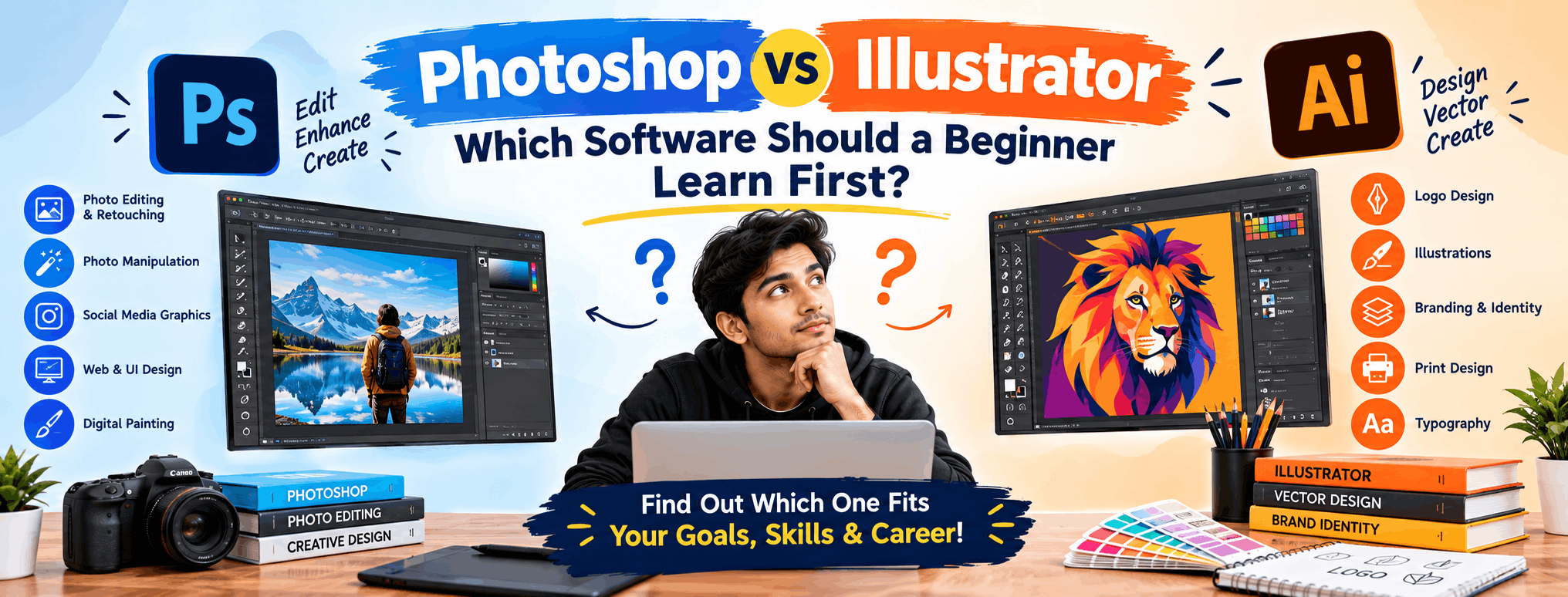
- Adobe Photoshop is a raster-based (pixel-based) editing tool. It's primarily used for photo editing, retouching, digital painting, and creating detailed image compositions.
- Adobe Illustrator is a vector-based tool. It's used to create logos, icons, illustrations, and designs that need to scale infinitely without losing quality.
In simple terms: Photoshop works with pixels (great for photos), while Illustrator works with mathematical paths (great for scalable graphics like logos).
What Can You Do With Photoshop?
Photoshop is often the first software people associate with "graphic design," and for good reason. Its uses include:
- Photo editing and retouching (skin smoothing, color correction, background removal)
- Creating social media posts and banners
- Digital art and matte painting
- UI/UX mockups and web design layouts
- Combining multiple images into a single composition
Because photo manipulation and social media content are in huge demand, Photoshop skills are extremely valuable for careers in digital marketing, e-commerce, and content creation.
What Can You Do With Illustrator?
Illustrator shines when precision and scalability matter. Common uses include:
- Logo and brand identity design
- Vector illustrations and character design
- Packaging and label design
- Infographics and icon sets
- Print materials like brochures, business cards, and posters
If you dream of becoming a brand identity designer or illustrator, Illustrator will become your best friend.
Which One Should Beginners Learn First?
Here's the honest answer: it depends on your career goal, but for most absolute beginners, we recommend starting with Photoshop. Here's why:
- Easier to see quick results: Editing a photo or creating a poster feels rewarding almost instantly, which keeps beginners motivated.
- Widely used across industries: From social media management to e-commerce and digital marketing, Photoshop skills are in demand almost everywhere.
- Builds design sense: Working with color, composition, and layout in Photoshop lays a strong foundation before you move to vector-based precision work.
However, if your goal is specifically logo design, branding, or illustration, it makes sense to start directly with Illustrator, since Photoshop's pixel-based approach isn't ideal for scalable brand assets.
Why Not Learn Both Together?
The truth is, professional designers rarely use just one tool. A logo might be designed in Illustrator, then imported into Photoshop for a realistic mockup presentation. A social media post might combine a Photoshop-edited photo with Illustrator-created icons and text.
At Graphic Design Institute, our Graphic Design course is structured to teach both tools side by side, so students understand exactly when to use which software — a skill that's crucial for real-world projects and client work.
Career Opportunities After Learning Photoshop and Illustrator
Mastering both tools opens doors to multiple career paths in India's growing creative economy:
- Graphic Designer
- Brand and Logo Designer
- Social Media Content Creator
- Photo Editor/Retoucher
- UI/UX Designer
- Freelance Designer
With businesses increasingly investing in digital presence, skilled designers who know both raster and vector workflows are highly sought after by agencies, startups, and e-commerce brands.
Final Verdict
If you're a complete beginner unsure where to start, begin with Photoshop for quick wins and strong design fundamentals, then move on to Illustrator to master precision and branding work. Better yet, enroll in a structured course that teaches both together, so you don't waste time figuring out the "right order" on your own.
At Graphic Design Institute, our beginner-friendly Graphic Design course covers both Photoshop and Illustrator from scratch, with hands-on projects, portfolio building, and career guidance. Whether you want to freelance, join an agency, or start your own design studio, we'll help you build the right foundation from day one.
Interested in learning more? Explore our Graphic Design course or register now for a free demo class at Graphic Design Institute.